Overview
VirtualShield uses a sophisticated  Very Early Warning System to monitor
  private and public databases for signs of early identity theft and ID theft risk. After adding you and your family’s information, you can safely shop online and use social media knowing your identity is fully secure against breaches.
In the event that your information appears compromised, we will immediately alert you on your  Account Dashboard and via SMS/text message along with instructions on how to protect yourself. If identity theft does happen, our Identity Restoration Team will handle the entire recovery process for you.
How does it work?
For the majority of Americans, your driver’s license serves as your primary form of identification. While it can be used for more menial tasks such as purchasing alcohol, your driver’s license can be instrumental in opening bank accounts, verifying credit transactions, applying for loan applications, and so on.
If a thief comes across your driver’s license, you can be at risk in numerous ways. We will monitor these details for suspicious activity. We will also keep an eye on your vehicles’ title records, and alert you if we suspect that someone has made unauthorized changes.
We continuously monitor the National Motor Vehicle Title Information System (NMVTIS) database and state Departments of Motor Vehicles (DMVs) for signs of  breaches. The Very Early Warning System will ensure your vehicle's value and legal ownership remain secure.

We can monitor up to 10 licenses at the same time to protect your entire household against identity theft, in addition to your own.
Adding your Driver’s License
Our support team will  never ask for your driver’s license, you must provide these details manually. Follow these steps to securely add your license numbers so that we can monitor them for you.
How to add your Driver’s license:
Start by visiting your Account Dashboard. Select ID Monitoring from the navigation menu, or use the link below:
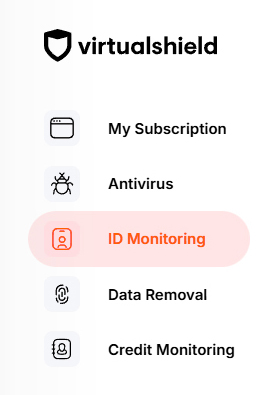
If you do not have a
Press the Setup button to activate your protection, if you have not done so already.
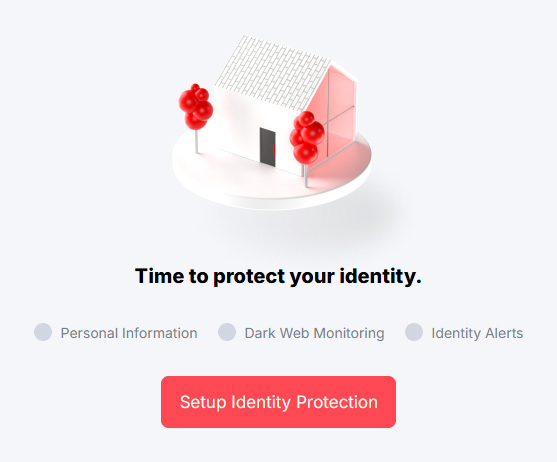
For more help verifying your identity and activating Identity Protection, see our support article.
Select the Monitored Information tab near the top of the page.

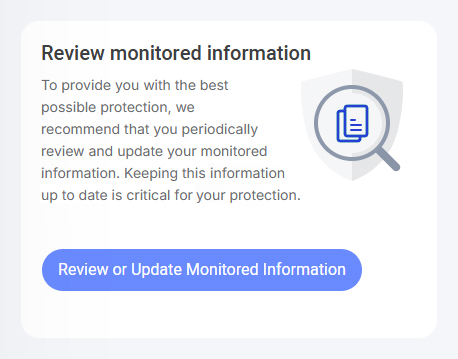
Alternatively, you can press the Review or Update button on the
Below Driver’s licenses, choose Add driver’s license.
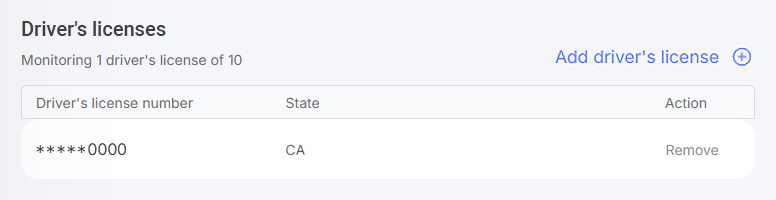
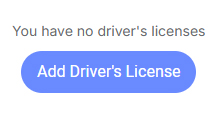
If there is no license on file you are still protected. However, we recommend adding at least one driver’s license for an additional layer of security.
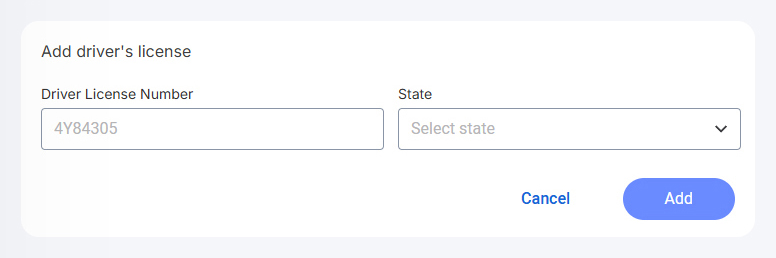
Enter your License number and  issuing state into the field(s) provided, then press Add.
That’s it! You will be notified on your
Removing your Driver’s License
If you’ve reached the  maximum limit for your account, you can follow the
  same exact steps to remove a Driver’s license you added previously. Just be aware it will no longer be monitored by our system.
How to remove your Driver’s license:
Start by visiting your Account Dashboard. Select ID Monitoring from the navigation menu, or use the link below:
If you do not have a
Press the Setup button to activate your protection, if you have not done so already.
For more help verifying your identity and activating Identity Protection, see our support article.
Select the Monitored Information tab near the top of the page.
Alternatively, you can press the Review or Update button on the
Below Driver’s licenses, choose Remove next to the license you would like to remove.
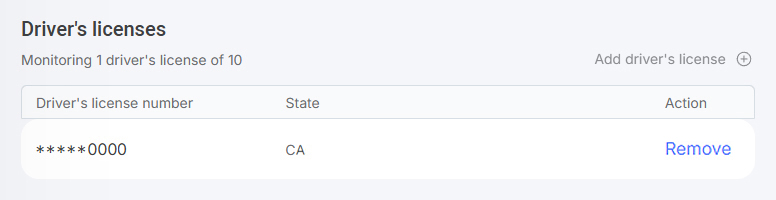
This action can not be undone. We must have at least one SSN number and USPS address on file in order to protect you. Everything else is optional.
Common Questions
Do I need to download an app?
No, there’sinstall any software to utilize this service.
Can I remove my family’s information?
Absolutely! We can monitor up to 20 bank accounts, 10 credit cards, 10 email addresses, 10 phone numbers, 3 SSN numbers, and more. You can monitor your relatives’ identity on your
Will I receive an alert if I’ve been breached?
Find your alerts by visiting your