 Overview
VirtualShield now offers support for unlimited devices. Each user on an account, whether it’s an Individual or a Family plan, gets unlimited devices. There’s no more restrictions, device limitations, or caps on your bandwidth. VirtualShield has gone UNLIMITED.
Our plans have been updated to be user-based rather than device based. This means each user can have unlimited devices, and additional users can be added to each of our plans. Now you can share protection without compromising your security.

Adding additional users
Our Individual plans support one user and our Family plans support up to 5 users. However, these plans have been discontinued. Now you can add as few or as many additional users as you need. You are no longer restricted to 5 users. When we say unlimited we truly mean it!
Our new Basic/Plus/Ultimate plans all work the exact same way. They were designed to be single user accounts by default, and additional users can be added using an add-on. Each user gets their own unique email and password, along with unlimited devices.
How to add additional users to your plan:
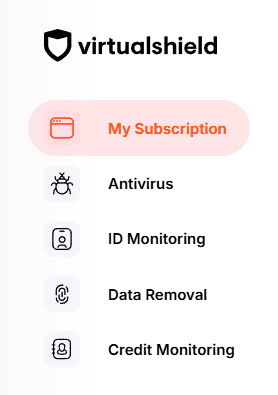
Start by visiting your Account Dashboard. Select  My Subscription from the navigation menu, or use the link below:
Below Family Members, press the Add member button.
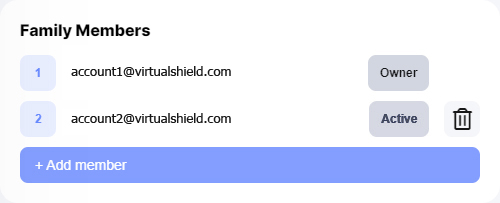
If you haveexceeded the number of users for your plan, you can also remove users by pressing the Trash icon.
Enter your family member’s email address, then press Invite.

An invitation link will be sent to their email. Their status will remain Inactive until the email address has been confirmed.
Press the Accept button in the invitation email to confirm your email address.
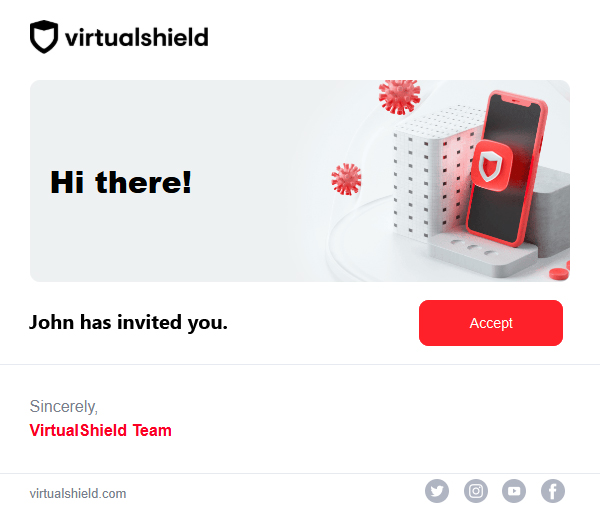
After confirming their email, they will be taken to a secure page to enter a unique password.
Enter your First & Last name (optional) and your password, then press Create Account.
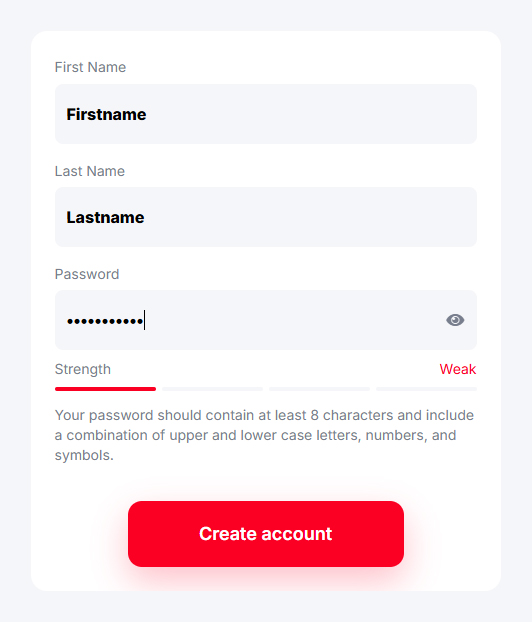
Don’t forget to use a combination ofletters,
numbers, and symbols to ensure a strong password!
 That’s it! Your family member will be able to log in and connect to our secure network on unlimited devices.
See our support article for more info on how to
Common Questions
Why can’t I add additional users?
If you don’t see this option, it is likely you have a single user plan. Contact our support team if you would like to add additional users. You can also upgrade your subscription by visiting your
Is it safe to share my email & password?
While we understand that sharing accounts and passwords is very easy, it is not the most secure sharing solution. Please be aware sharing your password can lead to dangerous consequences. See our support article for more information.
What happens if I downgrade my subscription?
If you downgrade from a multi-user plan to an single user one, any additional users will be removed when you downgrade. Contact our support team to downgrade without losing additional users.