 Overview
All of our plans are extremely affordable and competitively priced. VirtualShield offers plans to fit everyone’s needs. We’re always running seasonal promotions, so look out for special offers and limited-time discounts. You can view our latest offers by clicking here.
If you have a coupon code, you can apply it when you’re checking out to receive additional discounts. Please note that if you are coming from one of our affiliates, their discount will be automatically applied using the promotional link they provided.

How to apply a Coupon Code
Don’t forget to use a coupon code while signing up to receive a reduced price for your subscription. If it is a lifetime discount, the reduced cost will be applied towards any upgrades and future renewals as well.
Here are a few instructions to get you going:
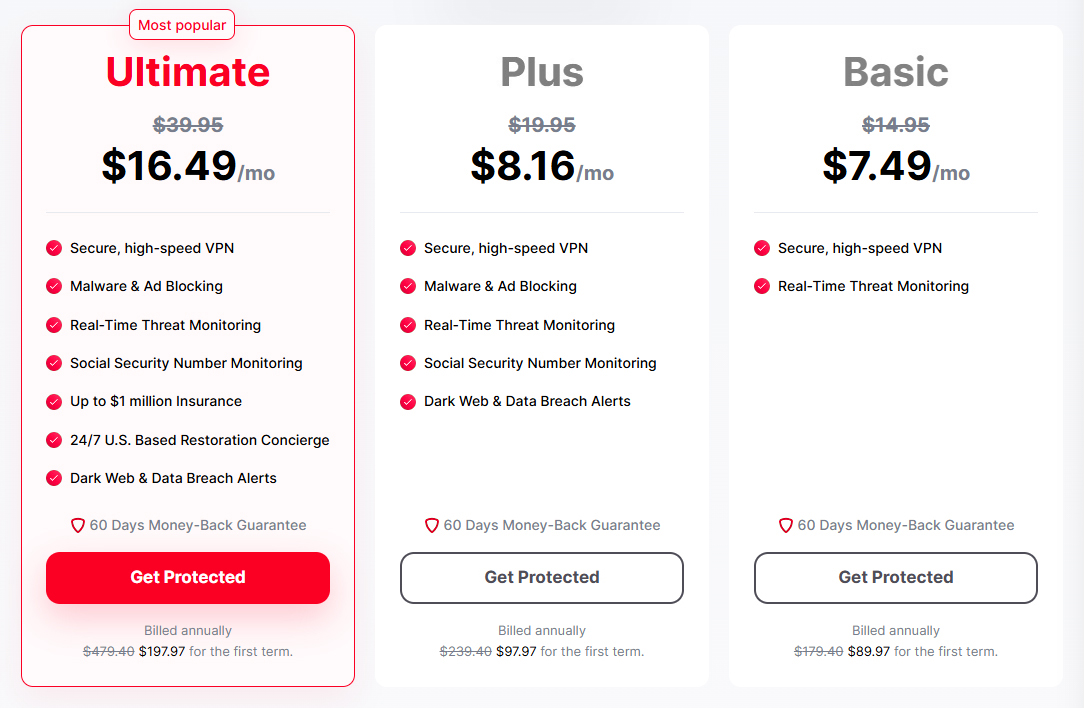
Start by visiting our pricing page in your web browser, and choosing your desired plan:
For more help signing up and
Below  Order Summary, look for the down arrow next to Have a Coupon?
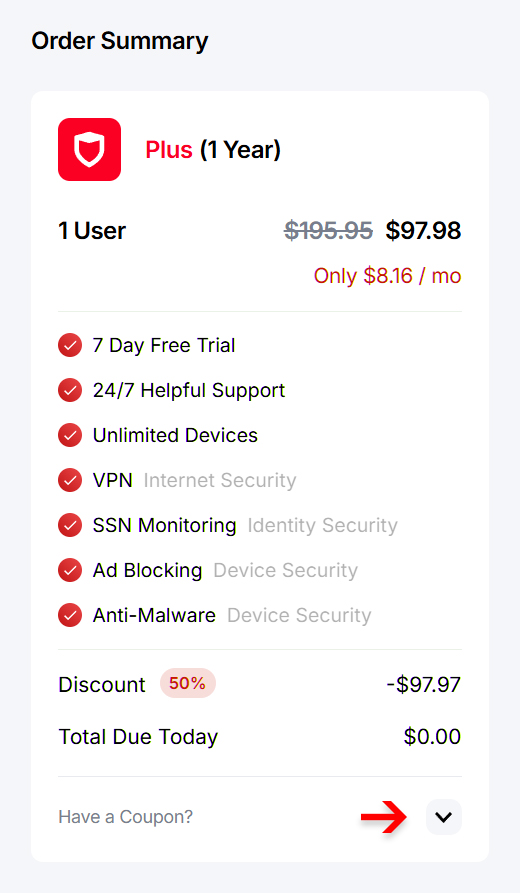
Type or paste your coupon code into the field provided.
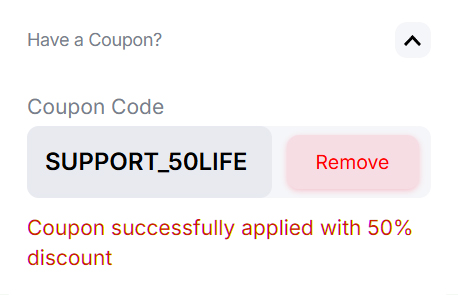
If your plan includes a 7 day risk-free trial period, anydiscounts will be applied when your trial period ends.
 That’s it! The discounted price will be automatically applied, and you can see the reduced cost during checkout.

If you have any questions or need any assistance
Common Questions
I don’t have a coupon code, what can I do?
If you don’t have a coupon code, you are more than welcome take advantage of our “SUPPORT_50LIFE” code to receive a 50% off lifetime discount of your subscription. If you use this link the discount will be applied automatically.
I forgot to enter my coupon code, what now?
rest assured! If you already signed up, contact our support team and we’ll be happy to apply the coupon code to your account from our end. If you recently paid, we can also refund the difference to you.
Why did the price increase for my subscription?
It is likely you used a special one-time coupon code while signing up. Contact our support team and we’ll be happy to apply a lifetime discount instead.