 Overview
It is common knowledge that the internet is plagued with malware, backdoors, location trackers, and other websites that may appear harmless at first glance, but can end up damaging your device and leaking your personal information to third-parties without your knowledge or permission.
There is hope! VirtualShield offers both network-level malware blocking and offline virus protection to help you stay fully protected against threats, both online and offline. We’re so confident in our antivirus and malware protection that if they can’t remove the virus, you get your money back.
In this article
Unsafe website detected
Also known as VPN Plus, once you have activated Ad & Malware Blocking on your device you may see a warning message similar to the one below when you attempt to visit a suspicious or unsafe website.
Don’t be alarmed! Our system is just alerting you that the site has been reported to contain malware, and it is unsafe to proceed. If you decide to visit this website, please do so with caution.
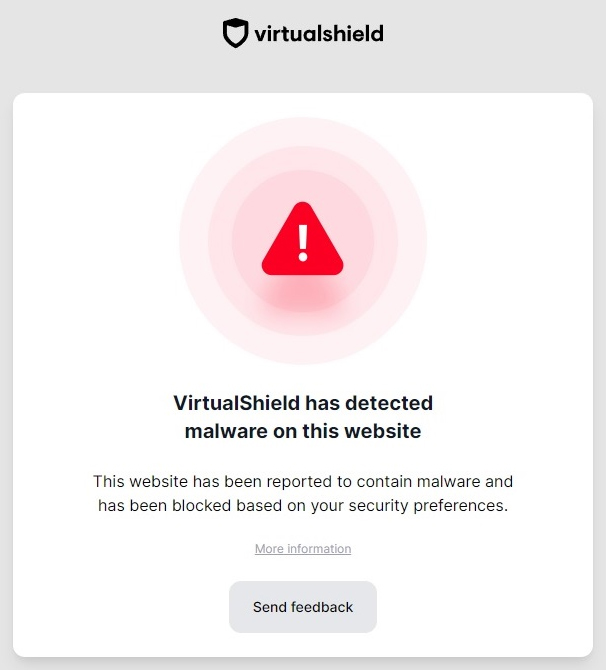
Our malware blocking servers will automatically block these malicious websites to protect your identity and your online security. See our support article for more information.
What should I do next?
If you see this warning message inside of your browser, you have a few different options available. The choice is entirely up to you. However, the first option is strongly recommended.
How to proceed when you see this warning:
We recommend closing/leaving the website immediately to safeguard your  online security. The site is likely to contain malware, so it is better to be safe rather than sorry.

You can press the Send feedback button to  report the website if you think it has been falsely detected by our system, and our security team will launch an investigation.
If you unsure whether the website is trustworthy or not, please don’t hesitate to contact our support team.
If you insist on visiting the unsafe website, you can disable malware blocking and connect to our  basic VPN network instead. Or you can simply
  disconnect the VPN first.
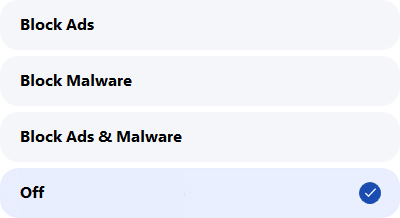
Do so at your own risk. Your traffic will be exposed to online ads and malware. You’ve been warned, so we can not be held responsible.
Common Questions
Does it matter which browser I use?
No, it doesn’t matter which browser you are using. VPN Plus works with all browsers, in addition to your favorite apps and games. Our secure VPN will encrypt your entire internet connection.
Why do I still see warnings on my device?
The first thing we recommend is disconnecting and then re-connecting to our VPN network. If that doesn’t work, try clearing the cookies inside of your web browser. Don’t hesitate to contact our support team for assistance.
Why can’t I activate Ad & Malware Blocking?
This feature comes included with our