 Overview
We accept several different forms of currency and all major forms of payment, including credit/debit cards, PayPal, Google Pay, and Apple Pay. You can add, remove, or change your payment method anytime by logging in to your Account Dashboard and following a few simple steps.
We can store up to 5 payment methods at the same time if you would like to alternate between cards, or if you do not have sufficient funds available in your primary payment method. Adding a new card can help you avoid any interruptions when it comes time for renewal.
In this article
Add a Payment Method
How to add a new payment method to your account:
Start by visiting your Account Dashboard. Select  My Subscription from the navigation menu, or use the link below:
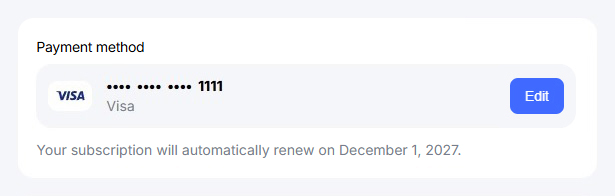
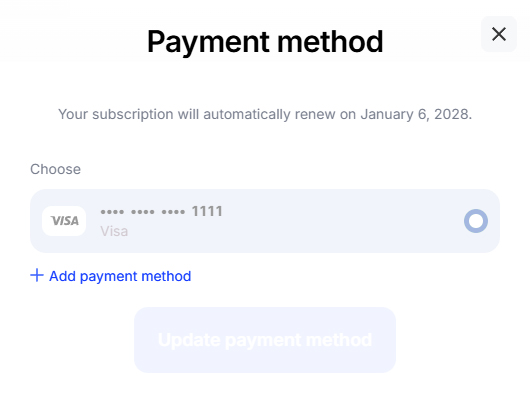
Press the Edit button next to your current payment method.
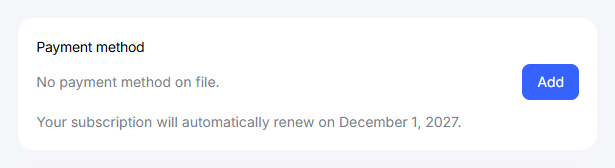
If there is no payment method on file, you will see an Add button. Update your payment methodas soon as possible to prevent any
loss in protection!
Select Add payment method near the bottom of this screen.
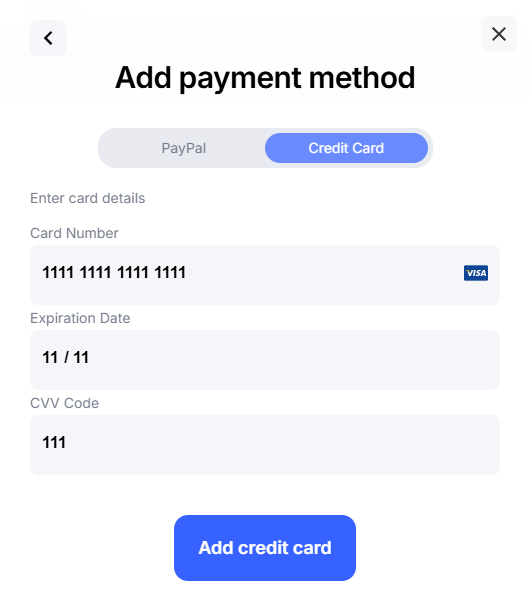
Fill out your payment details, then press the Add credit card button.
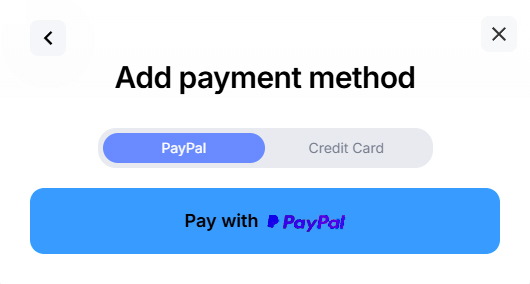
Alternatively, select the PayPal tab near the top to add your PayPal account.
Remove a Payment Method
How to remove an existing payment method from your account:
Start by visiting your Account Dashboard. Select My Subscription from the navigation menu, or use the link below:
Press the Edit button next to your current payment method.
If there is no payment method on file, you will see an Add button. Update your payment method
Select your preferred payment method, then press Remove.
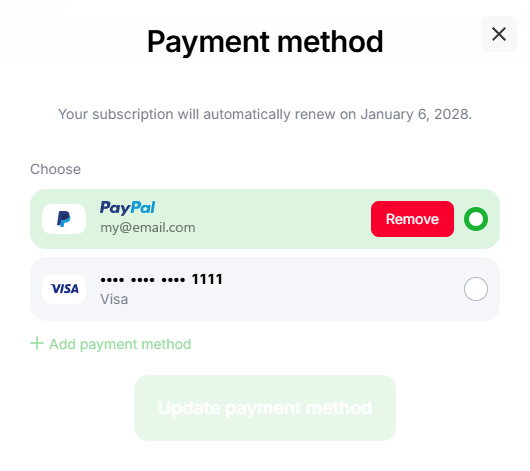
If you don’t see this option, it is likely you only have one payment method on file. Once you add a payment method you can remove the old one.
Set Primary Payment Method
How to change the primary payment method for your account:
Start by visiting your Account Dashboard. Select My Subscription from the navigation menu, or use the link below:
Press the Edit button next to your current payment method.
If there is no payment method on file, you will see an Add button. Update your payment method
Select your preferred payment method, then press Update payment method.
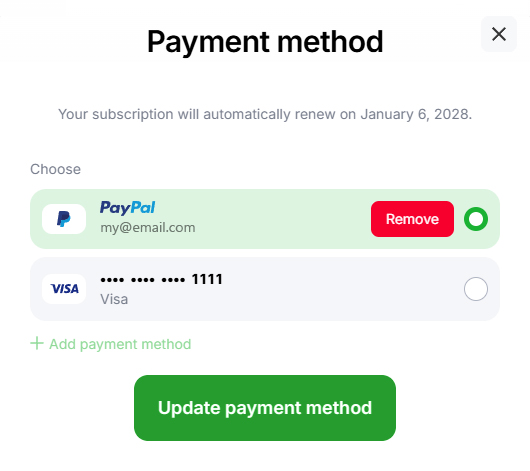
Your primary payment method will be used for any future renewals when your current billing term ends.
Common Questions
Why can’t I choose Google Pay or Apple Pay?
You can only select Google Pay or Apple Pay during checkout at this time. Our support team can help you create a new account if you would like to pay using one of these payment methods.
My new card has the same number, how do I add it?
First you will need to add your new card. Next, you can remove the old one. If the expiration date does not match you can manage both cards at the same time.
Can I use a credit card and PayPal at the same time?
Absolutely! Follow the steps above to add a secondary payment method. You can then alternate between payment methods when it comes time for renewal.